
Designing a Payment Allocation Workflow
Handling partial payments and multi-invoice allocation in an insurance SaaS
Role
Product Designer
Team
3 devs, 1 PO
Tools
Figma, Figjam, Github
Timeline
2025.9 - 2025. 11
About Insurfact
InsurFact was a B2B platform used by in-house insurance advisors to manage policy contacts and sales leads.
As the company expanded the platform to external insurance advisors through a subscription-based SaaS model, it needed to support basic accounting operations for Admins for the first time.
Problem
InsurFact needed to collect subscription fees but the system was never designed to handle money.
Admins managed invoices, payments, and balances manually outside the system: hard to know who had paid, what was overdue, whether balances were accurate. Fragmented workflows, limited revenue visibility, growing accounting risk.
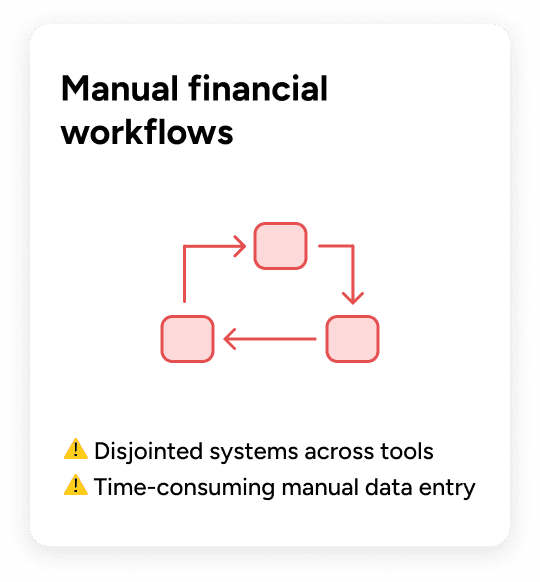
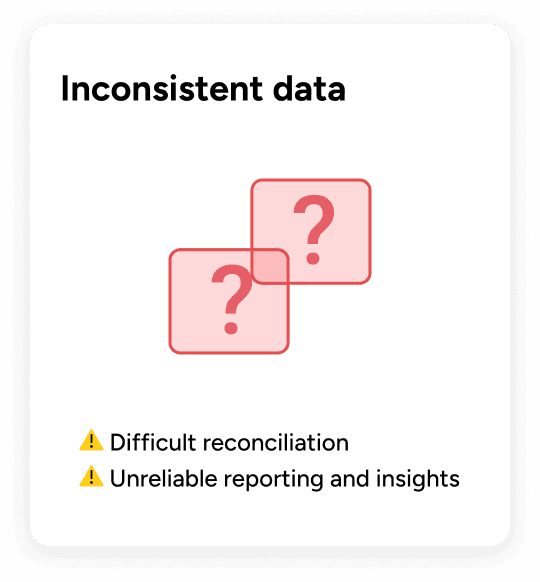
How to design a workflow to reliably collect and manage subscription payments without existing accounting infrastructure?
Process
Mapping the workflow by actor revealed the critical insight: a payment is not a single system action
Before designing any solution, I needed to clearly understand how payments, responsibilities, and state changes were currently fragmented across the system.
I created this cross-functional workflow diagram to map responsibilities across users, the system, and Admins.
It illustrates the intended system workflow after introducing payment and allocation capabilities, clarifying how responsibilities and state changes are handled once these gaps are addressed.
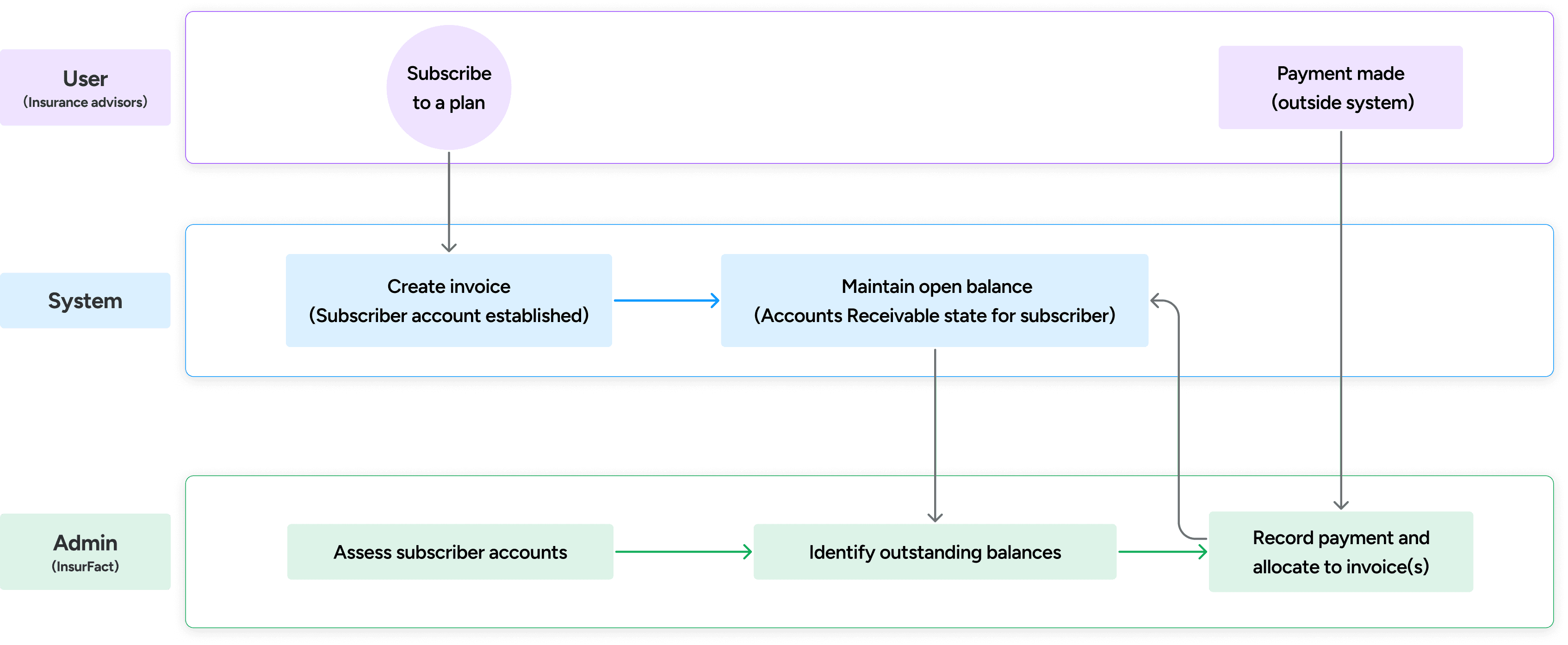
A payment begins outside the system, requires Admin judgment to allocate correctly, and only then updates invoice balances and accounting state.
This insight informed how I structured the system before designing any screens.
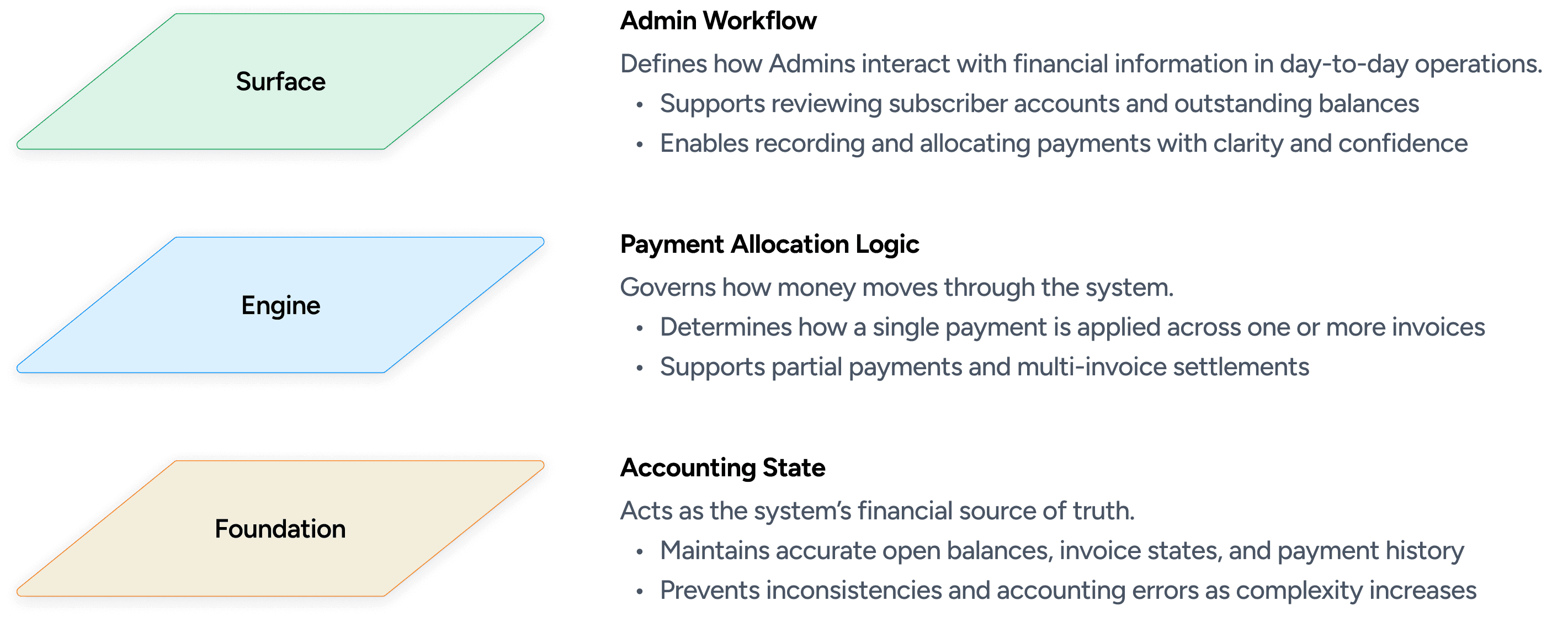
Three interconnected layers, each responsible for a distinct type of logic
InsurFact’s expansion into subscription-based billing introduced financial scenarios the system was never designed to handle, including partial payments, multi-invoice settlements, and ongoing outstanding balances. Treating payment as a single action would oversimplify these realities and introduce accounting risk.
To address this, I collaborated with product, engineering, and business stakeholders to map system responsibilities and separate concerns before designing any screens.
Translating system complexity into admin experience
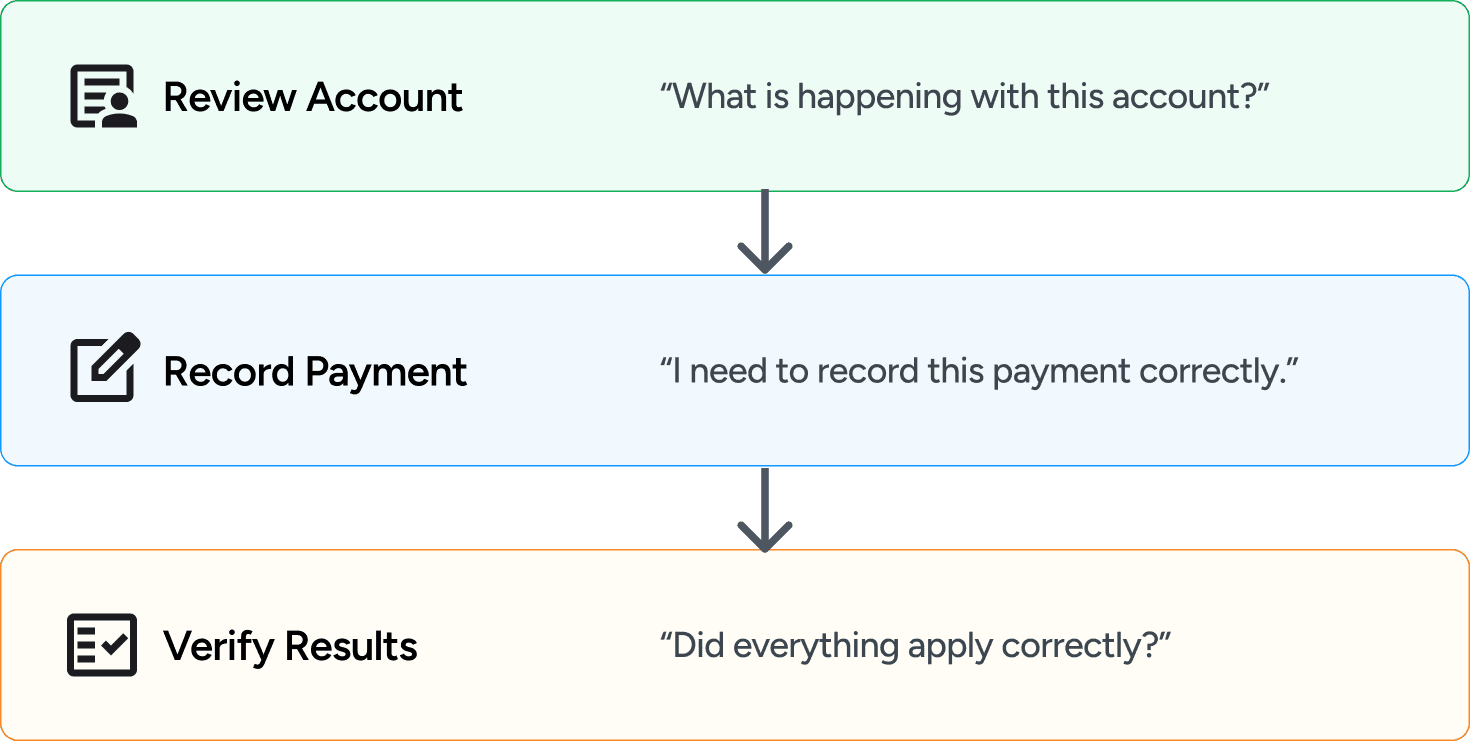
With the system responsibilities clearly separated, the next step was understanding how Admins experience this complexity in practice.
While the system operates across multiple layers, Admins perceive payment handling as a sequence of decisions rather than technical concepts.
Solution
The final solution introduced three coordinated system surfaces, each aligned to a distinct Admin mental moment.
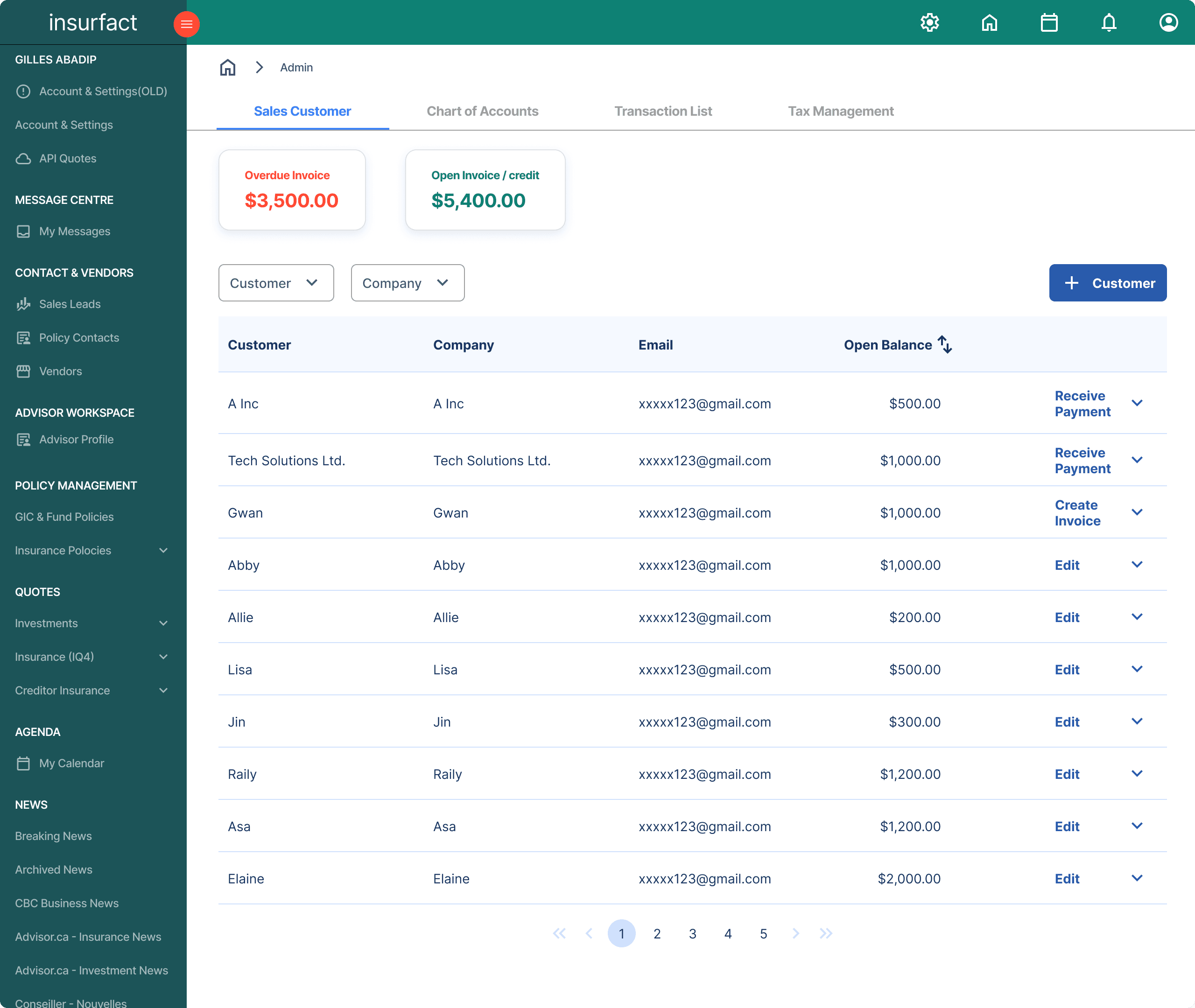
Sales Customer: financial overview and decision entry point
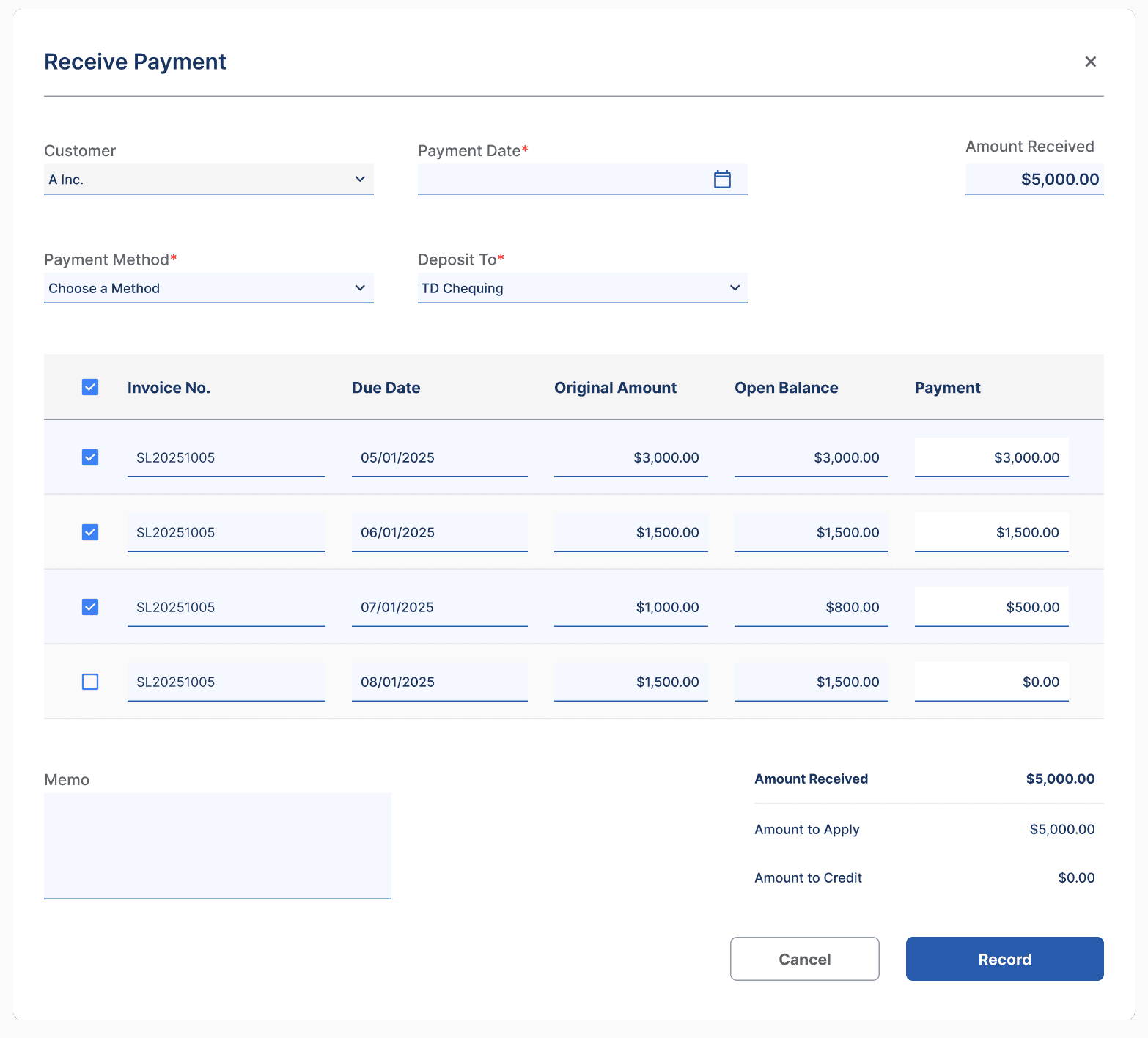
Receive Payment: controlled allocation of payments to invoices
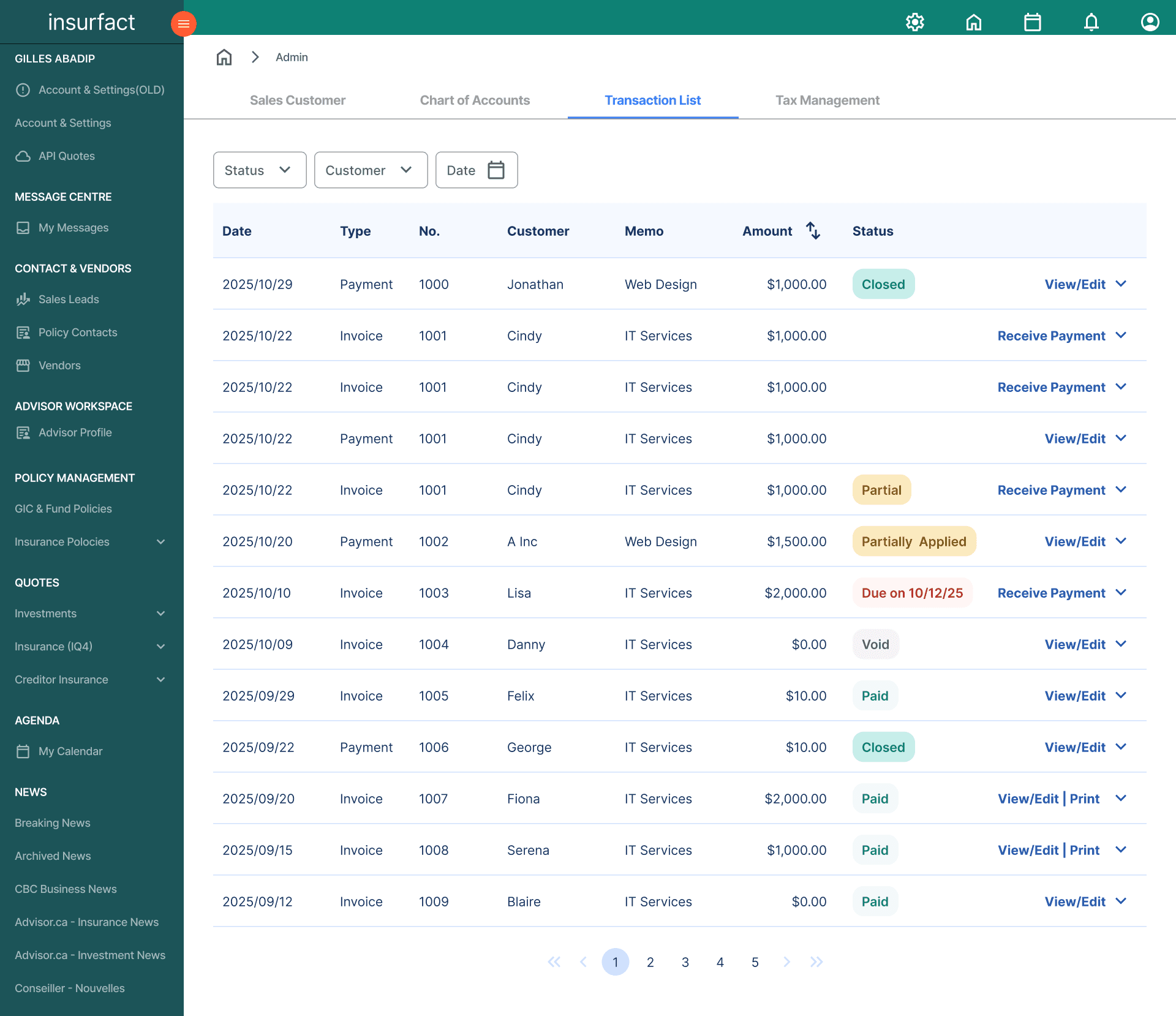
Transaction List: historical record of invoices, payments, and balance changes
These surfaces support the full payment lifecycle while preserving accounting accuracy and system consistency.
Sales Customer: Prepares Admins with account context before taking action
Receive Payment: Supports accurate payment allocation across one or more invoices
Transaction List: Provides verification and traceability after payments are applied
Key design decisions
1. Why allocation happens in Receive Payment?
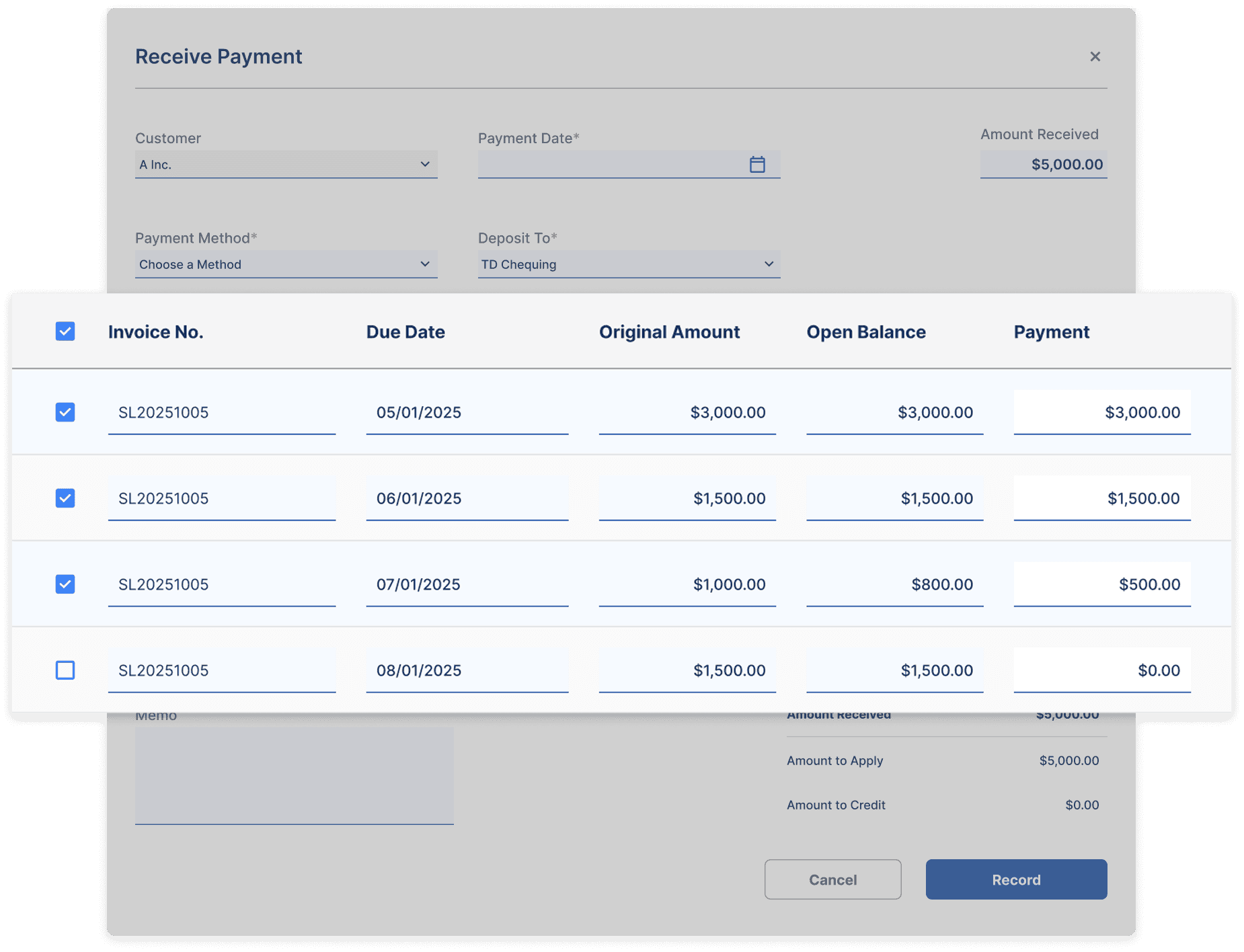
Payment allocation is handled in a dedicated Receive Payment flow rather than within invoices.
In real-world scenarios, a single payment may be applied across multiple invoices, and invoices themselves may be settled through partial payments over time.
This approach allows payments to be distributed deliberately without corrupting invoice balances or state.
2. Why invoice status updates rely on a unified transaction history?
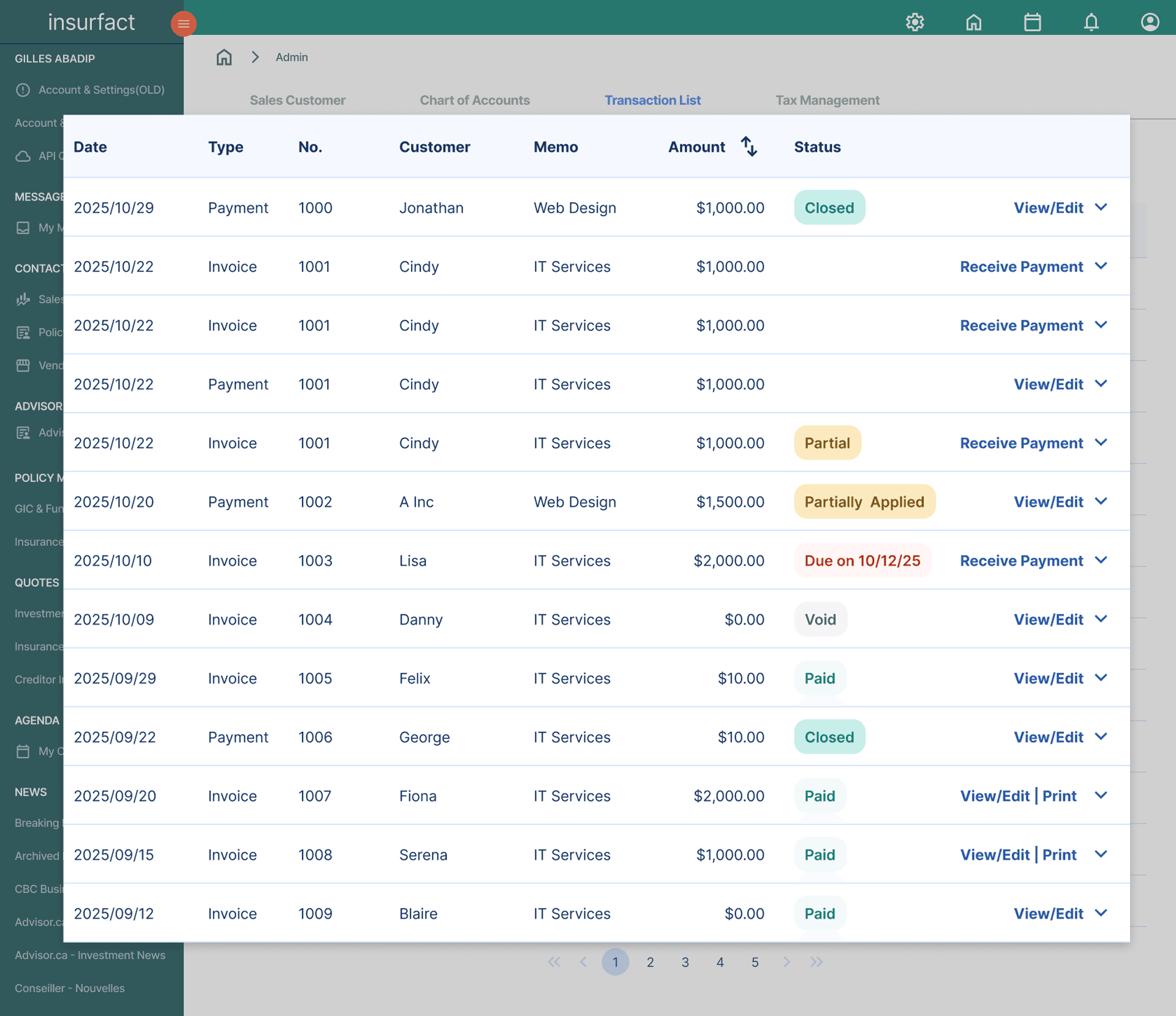
Invoice status is only trustworthy when it can be traced back to the transactions that caused it.
Rather than separating invoices and payments into different historical views, I designed the Transaction List to record invoice events and payment allocations together in a single chronological timeline.
This unified history allows Admins to trace how balances and statuses changed over time, verify allocation results, and identify errors without switching contexts.
Impact & Takeaways
Although the system has not yet launched, this work established a scalable foundation for InsurFact’s accounting capabilities and aligned cross-functional teams around a shared financial model.
Impact
Established a clear mental and system model for how payments, invoices, and balances should work together
Gave engineers a concrete structure to build against, reducing uncertainty around edge cases and future expansion
Helped design, product, and engineering align on shared language when discussing financial workflows and risk
Takeaways
Designing B2B financial systems isn’t just about polished interactions.
While visual clarity still matters, what’s more important is helping people quickly find the right information and ensuring the system behaves in a way that matches how they already think about money and accounts.In accounting workflows, good UX often means slowing users down at the right moment.
In this case, that moment was payment allocation, treating it as a deliberate, confirmable step helped prevent silent errors and made financial consequences explicit.When people are responsible for financial outcomes, clarity and trust matter more than speed.
Admins need to understand why numbers change, not just see that they did.