
Cutting announcement publish time from 12 minutes to 5
InsurFact's ops team publishes announcements, product news, and webinars to insurance brokers.
Before the redesign, publishing one took about 12 minutes, the form mixed content with settings, and there was no way to preview without leaving the tool.
Role
Product Designer
Team
2 devs, 1 PO
Tools
Claude, Github, Figma
Timeline
2 weeks
PROBLEM
A form built around the data model, not the admin user's workflow
Every field sat in one undifferentiated form: content next to configuration, four content types (HTML, PDF, video, URL) sharing one layout, and no preview: admins opened the advisor-facing platform in a separate tab to verify their work.
Painpoint 01
No structure between content and settings
Admins scanned the whole page to find what they needed, every time.
Painpoint 02
No preview in context
Checking how an announcement looked meant leaving the tool for the broker-facing platform.
Constraints
What I had worked within
01
No backend changes
Interface only. Data structure and APIs had to stay the same. No new endpoints, no schema changes.
02
Admin side only
The advisor-facing announcement display was untouched. Any preview had to work within the admin context.
03
Existing tech stack
PrimeVue + Tailwind. Solutions had to work within what was in place.
Research
I observed how admins used the tool and organized three insights
I sat with an ops admin during a typical publish, watching where they paused, what they re-read, and what pulled them out of the tool entirely.
Insight 01
Scrolling constantly
Re-checking what was already filled.
Insight 02
Filling out of order
Jumping back and forth across the form.
Insight 03
Leaving the tool
Logging into advisor profiles just to check how it looked.
SOLUTION
Organize by what admins decide, not by data schema
01
From a modal to a dedicated page
The single biggest structural change, everything else depended on having enough canvas.
02
Content left, configuration right
First decide what you're publishing, then who sees it and when.
03
Preview as a tab
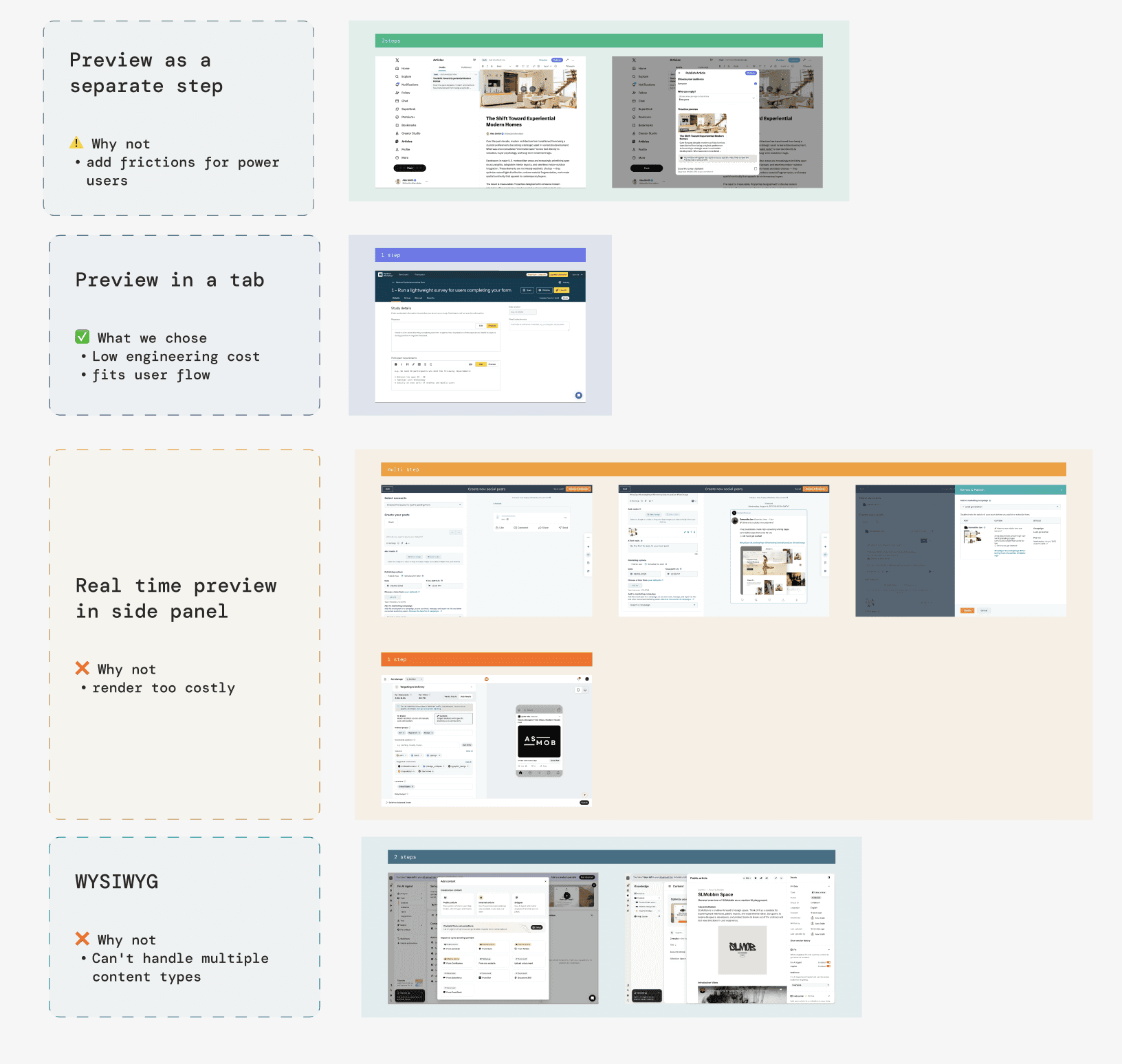
A real-time renderer would have been a significant engineering lift. The tab reuses the existing broker-side render.
From a modal to a dedicated page
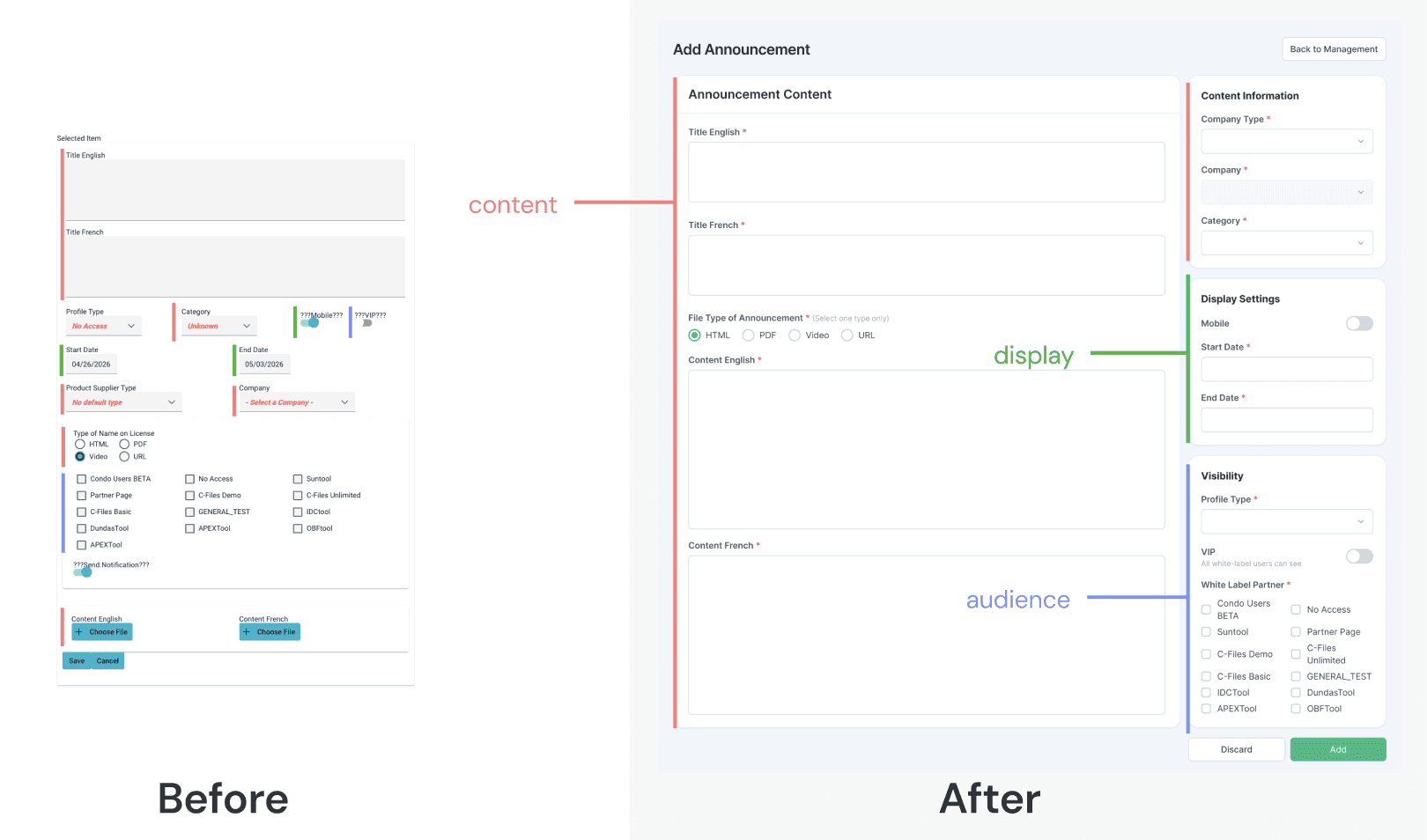
The original add/edit experience lived in a modal, which severely limited how much information could be surfaced clearly.
I moved it to a dedicated full page. This gave enough space to separate content from configuration, and made room for a proper preview experience.
Organize by what admins decide, not by data schema
The original form was structured around the database.
I reorganized it around the admin's decision-making process:
Content fields moved to the left.
Configuration, audience targeting, scheduling, distribution, moved to a right sidebar.
Admins no longer had to scan the entire form to find what they needed.
Add preview as a tab
Admins were spending time navigating to the broker-facing platform just to check how an announcement looked.
I proposed a tab-based preview that reuses the existing broker-side render.
Less engineering cost, same outcome for the admin.
tradeoff
How to present preview?
Before proposing the preview solution, I reviewed four preview approaches used across content management tools by evaluating each against the constraints of this project.
SOLUTION
Submit-first preview
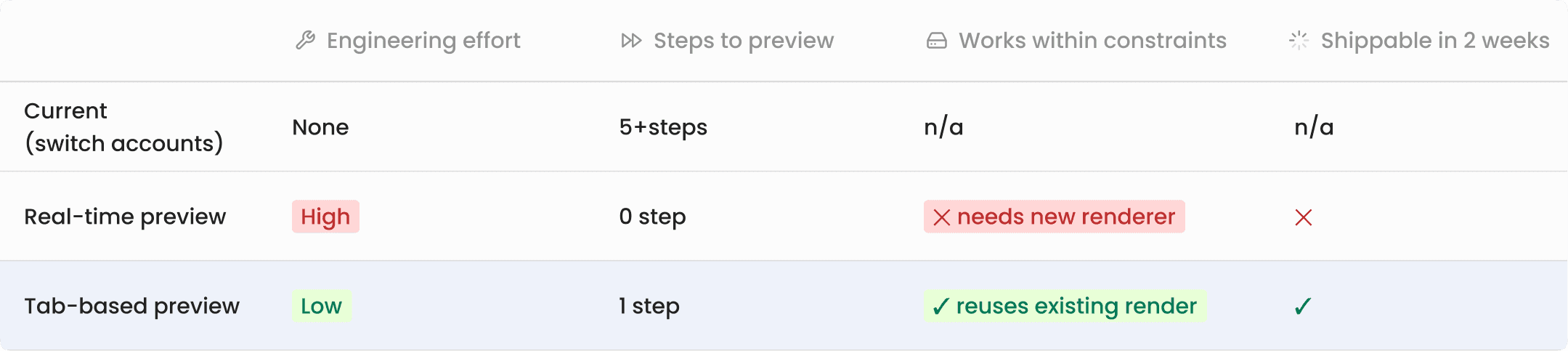
Real-time preview was the ideal. But given the no-backend-changes constraint and the two-week timeline, tab-based preview using the existing render was the right call. Same result for the admin, significantly lower cost to build.
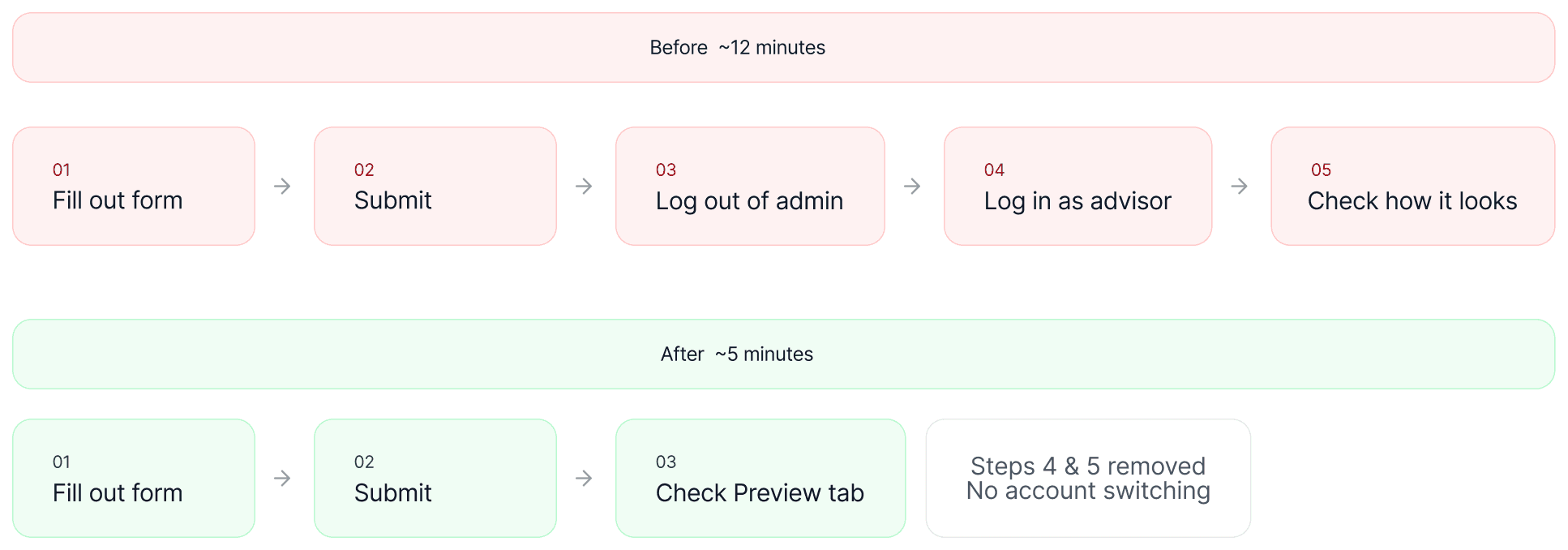
The real win is eliminating the account-switching detour.
Five steps across two sessions became one submit inside the same tool.
Known limitation: if something looks wrong in preview, they'll need to edit and resubmit.
Final Design
Before vs. After
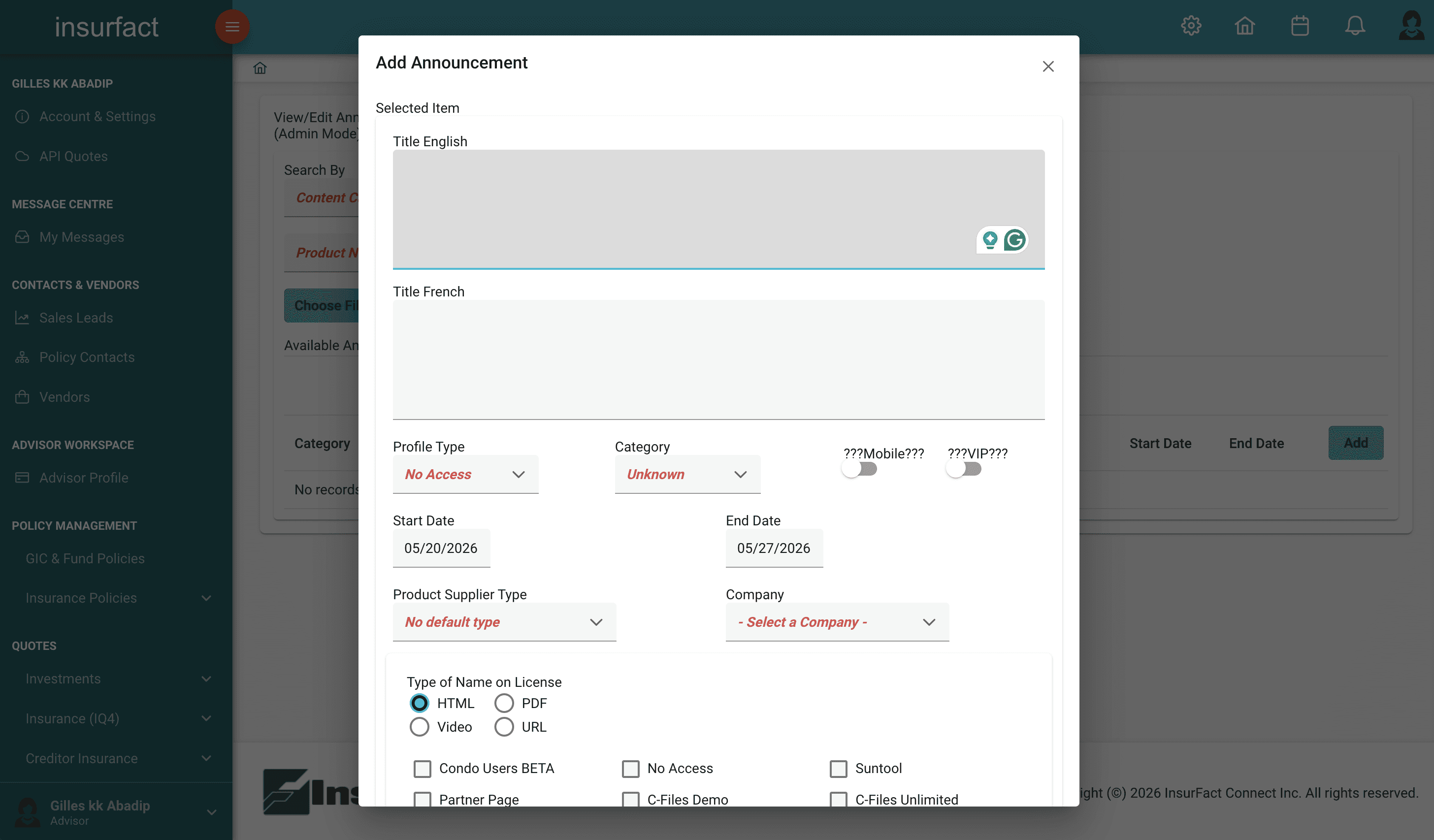
Deliverables
Edge Cases & Interaction States
I built an interactive HTML specification to document every edge case and error state for an announcement management feature. This gives engineers a single reference they can interact with directly during implementation, reducing back-and-forth with design and eliminating ambiguity at handoff.
Impact
"I don't have to switch back and forth anymore.
I can just check it right there."
— Ops team admin
The biggest savings came from the preview tab: the finish–submit–check–return loop accounted for most of the extra time. Combined with the clearer structure, the average publish went from about 12 minutes to 5.
↓ 58%
TASK TIME
12 → 5 min
AVG PUBLISH TASK
2 weeks
design to ship