
Redesigning an insurance admin system
InsurFact was a B2B platform used by in-house insurance advisors to manage insurance products and sales leads.
I joined as the sole product designer to redesign the Admin configuration system.
Role
Product Designer
Team
3 devs, 1 PO
Tools
Cursor, Codex, Github, Figma
Timeline
2026.01 - 2026.04
Context
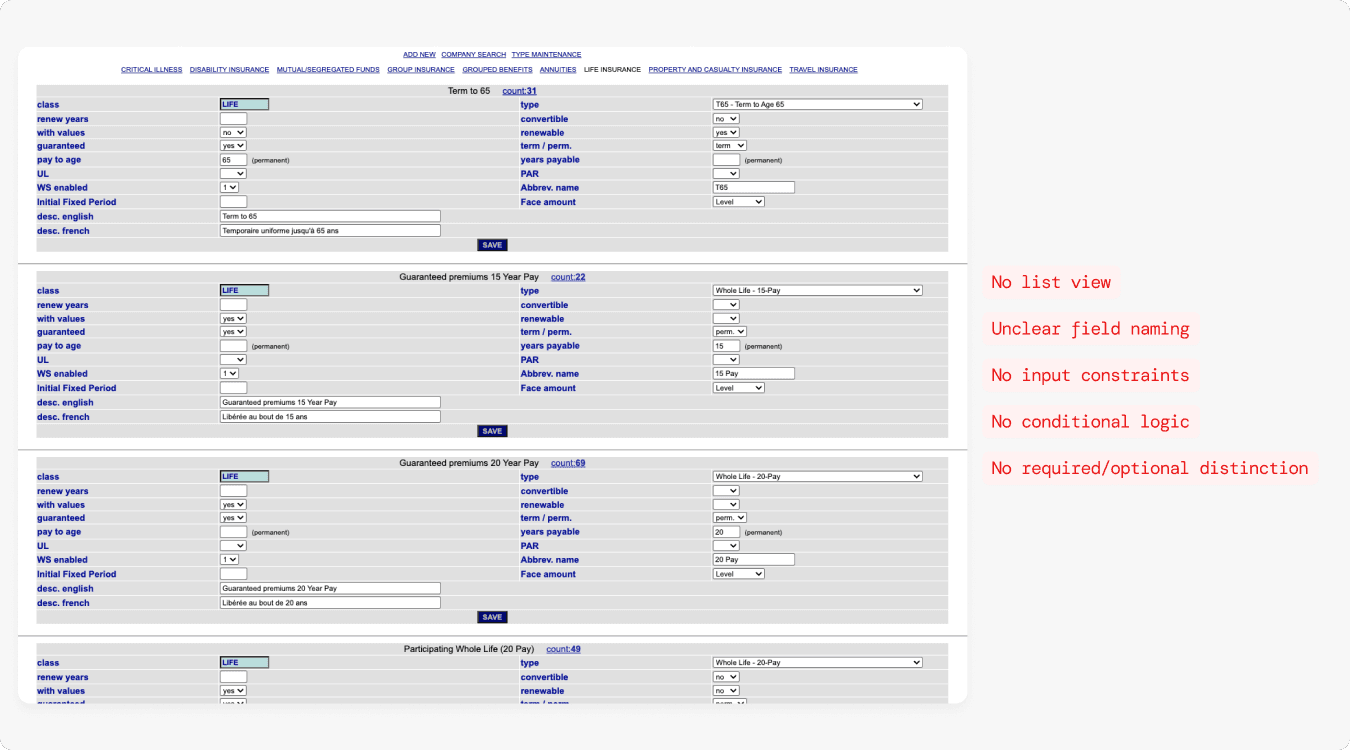
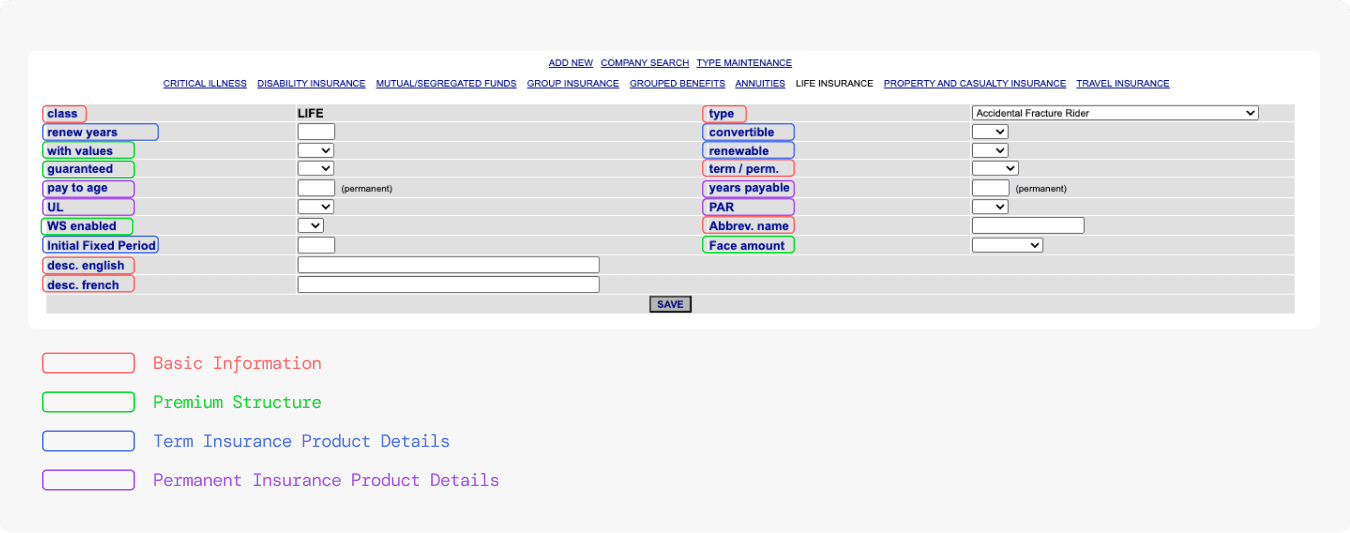
The system I inherited: every product type on the same flat form
Every insurance product type lived on one endlessly stacked form, no list view, no way to scan or manage.
Getting a configuration right depended entirely on institutional knowledge.
Problem
Misconfiguration was invisible until it was too late
For Admins
No feedback mechanism
No way to know which fields were required, which were optional, or whether the configuration was even correct.
For the business
Errors surfaced at claim time
Misconfigured products accumulated silently, by the time a claim exposed them, the damage was done
Solution
From a flat list of forms to a structured, navigable system
01
Information architecture
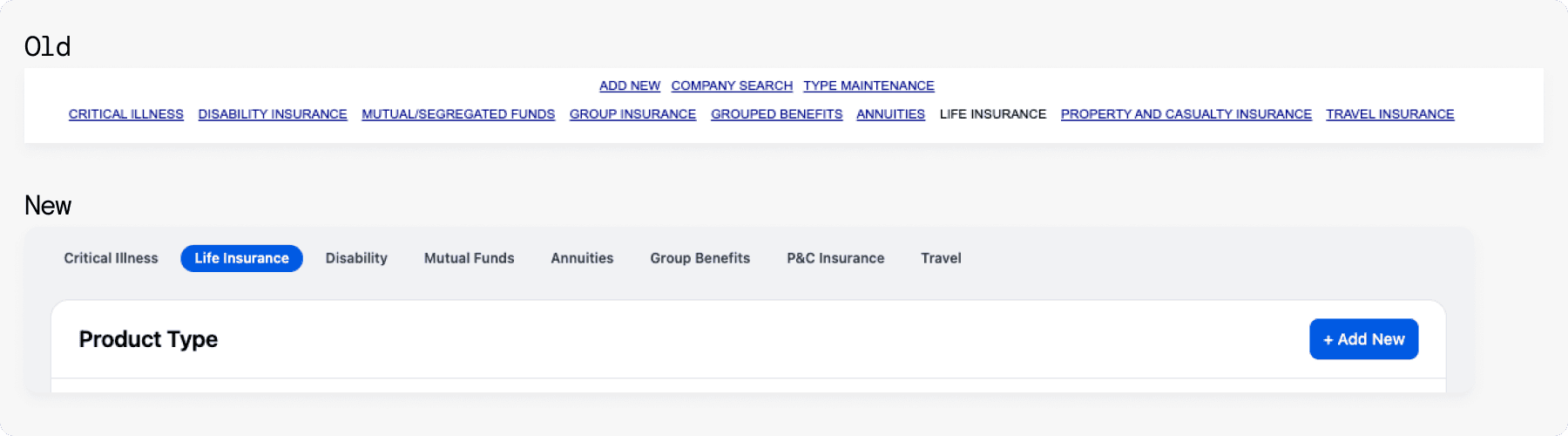
Restructured the page into a table with category tabs, search, and pagination.
02
Field grouping
Regrouped and relabeled every field by product type and business logic, validated field by field with the product owner.
03
Conditional visibility & states
Fields appear based on prior selections; every state accounted for, required, optional, disabled, error.
Information architecture
The original system had no list view. Every product type was a fully expanded form, stacked one after another with no way to scan or manage. I restructured the page into a table with category tabs, search, and pagination
Field grouping
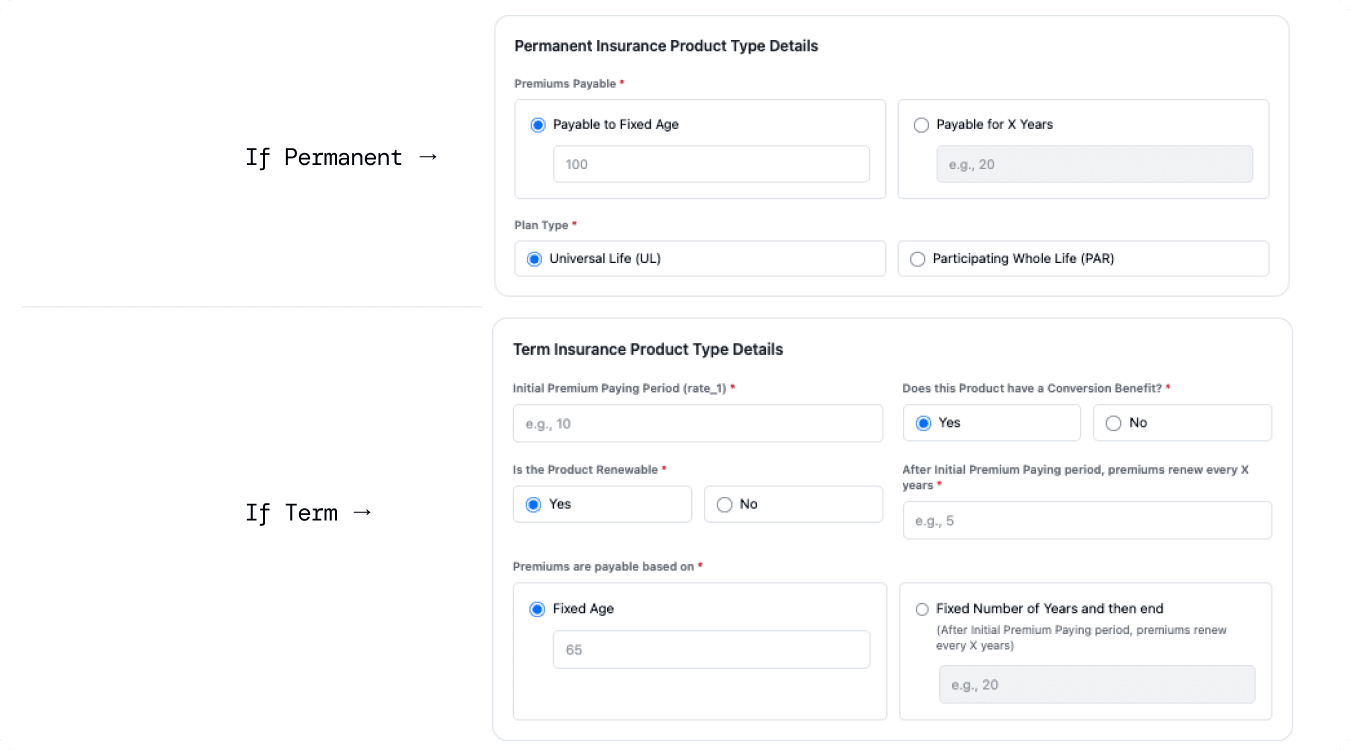
Regrouped and relabeled every field based on product type and business logic.
I discussed and validated with the product owner field by field.
Conditional visibility
Fields now appear or hide based on prior selections. Admins only see what's relevant to the product they're configuring.
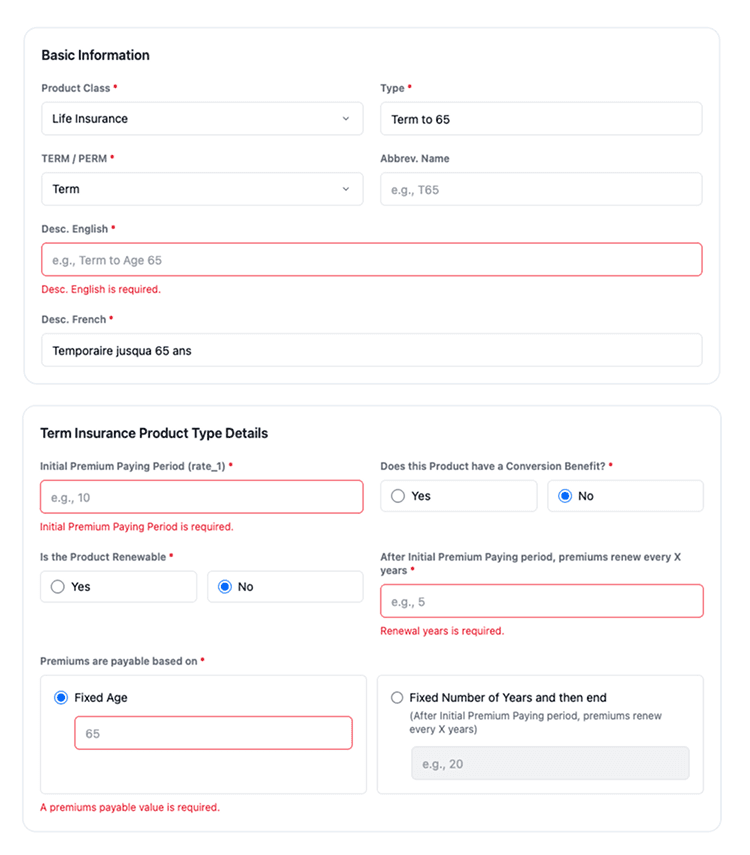
States
Every possible state is accounted for — required, optional, disabled, error, and conditional.
The form responds to input rather than accepting anything silently.
Design Decisions
Every decision had a reason
Drawer over modal for Add / Edit
The initial design used a modal for adding and editing product types.
Problem
A modal blocks the entire list, forcing Admins to lose reference every time they open a form. And It doesn't aligns with the established design pattern across the product.
Solution
A side drawer keeps the list visible in the background. Admins can reference existing entries while filling out a new one.
Type filters on top, not a single "All" view
The initial design had an "All" filter that displayed all product types together on a single page.
Problem
Mixing hundreds of types from different insurance categories made it difficult to manage products while certain product types are accessed far more frequently than others.
Solution
Tabs follow the same category structure Admins already use in their daily workflow. Outdated product types that were no longer in use were also removed.
Understand before design: field grouping grounded in business logic
Instead of redesigning right away, I first understood how Admins actually work based on their configuration process, their terminology, and their mental model.
WHY
All fields used internal shorthand. Grouping them without understanding the business context would produce a structure that made sense visually but not operationally.
HOW
Researched terms → walked through the process with the product owner → used AI to propose grouping → validated before finalizing.
Final deliverables
Documentation & Handoff


Outcome
Configuration that guides, not just accepts.
Validated through an HTML prototype tested with 5 admins across 2 rounds. In round 1, admins brought their old mental model: 3 of 5 were flagged for missing required fields. By round 2, only 1 admin was flagged, with 1 field.
Admins reported they could finally tell whether they'd done it right.
↓ 40%
Configuration time
↓ 67%
Incomplete submissions